
If you’ve been filing your 1099s through the IRS FIRE system, your process is about to change — permanently. The IRS has officially announced that the Filing Information Returns Electronically (FIRE) system will be retired on November 19, 2026. After that date, FIRE will no longer accept information returns of any kind.
That means when the 2027 filing season opens in January, every employer, payroll bureau, and tax filer who currently uses FIRE will need to be on the IRS’s new system: the Information Returns Intake System (IRIS).
This is not a small tweak. It’s a platform migration with its own credentials, its own file formats, and its own application process — one that can take up to 45 days to complete. If you’re waiting until January to figure this out, you’ll already be behind.
Here’s exactly what’s changing, who it affects, what you need to do, and how working with the right document delivery partner insulates your business from the compliance exposure this transition creates.
Download the Checklist Here
What Is the FIRE System — and Why Is It Going Away?
The FIRE system has been the IRS’s primary intake channel for electronic information returns since the 1980s. For decades, businesses and payroll service providers used FIRE to submit 1099-NEC, 1099-MISC, 1099-INT, 1099-DIV, W-2G, and dozens of other information return forms directly to the IRS.
FIRE required a dedicated Transmitter Control Code (TCC), a specific ASCII-formatted file structure, and a separate login credential system that was maintained independently of other IRS online services. It was functional — but it was also aging infrastructure built on technology standards that are now decades old.
The IRS launched IRIS in January 2023 as a modernized replacement. IRIS supports the same information return forms as FIRE, adds new form types like the 1099-DA (Digital Asset reporting, required beginning with tax year 2026 for qualifying digital asset brokers), and offers a web-based portal option that doesn’t require custom software or technical file formatting expertise.
After a multi-year transition period, the IRS has set a hard deadline: FIRE stops accepting returns on November 19, 2026. Beginning with the 2027 filing season — which covers tax year 2026 returns due in January and March 2027 — IRIS is the only option.
Who Does This Affect?
This change directly affects any business or organization that currently:
- Files 1099s, W-2Gs, or other information returns directly to the IRS using the FIRE system
- Has an existing FIRE Transmitter Control Code (TCC)
- Uses in-house payroll or accounting software that transmits files to the IRS via FIRE
- Acts as a transmitter filing on behalf of other businesses under a FIRE TCC
If you use a payroll bureau or third-party 1099 service that transmits on your behalf, you are likely already insulated from this change — your service provider files under their own TCC and handles the system transition for you. That said, it’s worth confirming with your provider that they are registered in IRIS and will be ready for the 2027 season. Don’t assume.
If your business files its own 1099s directly with the IRS — even through accounting software like QuickBooks or a desktop 1099 filing tool — you need to verify whether that software is transitioning to IRIS and whether you need to obtain your own IRIS TCC.
Key FIRE Shutdown Dates
The IRS has published a clear timeline. These are the dates that matter:
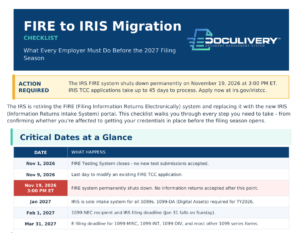
- November 1, 2026 — FIRE Testing System closes. No new test file submissions accepted after this date.
- November 9, 2026 — Last day to modify an existing IR Application for TCC in the FIRE system.
- November 19, 2026 at 3:00 PM ET — FIRE system permanently shuts down. No information returns accepted after this point.
- January 2027 — IRIS becomes the sole intake system for all information returns previously handled through FIRE, including 1099-DA forms.
- February 1, 2027 — 1099-NEC filing deadline (January 31 falls on a Sunday, so it moves to Monday, February 1).
- March 31, 2027 — E-filing deadline for most other 1099 series forms.
What Is the IRIS Portal — and How Is It Different from FIRE?
IRIS offers two filing channels, and which one you use depends on your filing volume and technical setup.
IRIS Taxpayer Portal (Web-Based)
The Taxpayer Portal is a free, browser-based interface that lets filers key in return data manually or upload information via CSV file. It’s designed for businesses filing up to 100 returns at a time and requires no specialized software. This is the right option for smaller employers and businesses that file a manageable volume of 1099s without needing bulk automated transmission.
The Taxpayer Portal requires an IRIS TCC and an IRS online account authenticated through ID.me. Your existing FIRE TCC does not transfer — you must apply for a new IRIS TCC separately.
IRIS Application-to-Application (A2A)
The A2A channel is the enterprise-level option for high-volume filers, software developers, and payroll service bureaus that transmit information returns programmatically. A2A uses an XML-based schema rather than FIRE’s legacy ASCII format, and it’s designed for automated, machine-to-machine file transmission at scale.
If your organization files thousands of 1099s, or if you’re a payroll processor filing on behalf of multiple clients, A2A is the path forward. It also requires an IRIS TCC, applied for through the same process as the Portal option.
The Key Difference: File Format
FIRE used ASCII-formatted fixed-width files — a legacy format that required either specialized software or considerable technical knowledge to produce correctly. IRIS uses CSV (for the Portal) and XML (for A2A). This is a meaningful improvement for smaller filers who struggled with FIRE’s technical requirements, but it does mean that any existing software generating FIRE-formatted files will need to be updated or replaced before the 2027 season.
How to Get Your IRIS TCC — Before It’s Too Late
This is the step that most employers and businesses are underestimating. The IRIS TCC application process takes up to 45 calendar days to complete. That means if you wait until mid-November after FIRE shuts down, you may not have your credentials in time for the January filing deadlines.
Here is the process:
- Create an IRS online account — All Responsible Officials and Authorized Users listed on the TCC application must have individual IRS online accounts authenticated through ID.me. This is a personal identity verification process that requires a valid ID and, in some cases, a video selfie. If your team members don’t have ID.me accounts yet, start here first.
- Access the IRIS Application for TCC — Navigate to irs.gov/iristcc and select “New Application.” A Responsible Official must initiate the application.
- Select your role — Choose Issuer (filing only for your own business) or Transmitter (filing for your business and others). Both roles require a TCC. If you will be filing for multiple clients or companies, select Transmitter.
- Complete the application — You’ll need your EIN, business contact information, and details for each authorized user. The application covers both Taxpayer Portal and A2A access.
- Wait for IRS review — Processing takes up to 45 days. You’ll receive email notification of approval or rejection. Your TCC appears on your Application Summary page once issued.
Do not delay this step. Given the November 19 FIRE shutdown and the 45-day processing window, businesses that haven’t already applied for an IRIS TCC should do so immediately. The IRS has been urging filers to complete the transition well before the shutdown — and the filing deadlines in January and March 2027 do not move to accommodate late registrations.
What About W-2 Filing? (A Related Change You Should Know About)
While FIRE handled 1099s and related information returns, W-2 filing runs through the Social Security Administration’s Business Services Online (BSO) portal. The SSA decommissioned its legacy W-2/W-2c Online application within BSO on September 19, 2026 and replaced it with a new credential-based application for W-2 and W-2c electronic filing.
These are two separate systems — IRIS for 1099s, the SSA’s new portal for W-2s — but both changes are happening in the same filing season, both require new credentials, and both have January 31 deadlines. For employers managing both employee W-2s and contractor 1099s, this filing season represents a double migration.
Businesses using a third-party electronic tax form delivery service like Doculivery’s online tax form platform are shielded from both transitions. Doculivery handles electronic distribution of W-2s, 1099s, 1095s, and other year-end forms — including IRS-compliant delivery to recipients with proper consent workflows, MFA-protected access, masked SSNs, and multi-year archive access. The filing system changes affect how forms are transmitted to the IRS and SSA; a compliant delivery platform ensures the employee- and contractor-facing side of that process is handled correctly regardless of what the IRS changes on the back end.
What This Means for Businesses Using Payroll or Document Management Software
If your payroll or accounting software currently generates FIRE-formatted files for direct IRS submission, that software needs to be updated for IRIS before the 2027 season. Contact your software vendor now to confirm:
- Whether the software will support IRIS filing for tax year 2026 returns
- Whether it uses the Portal (CSV) or A2A (XML) channel
- Whether you need to obtain your own IRIS TCC or whether they transmit under their own TCC
- What happens to corrections for returns originally filed through FIRE (the IRS has indicated it is still finalizing guidance on this — watch irs.gov/filing/e-file-information-returns for updates)
For payroll bureaus and businesses with high 1099 volumes, the A2A channel with a third-party filing service is typically the cleanest path. The XML schema IRIS uses is more structured and less error-prone than FIRE’s ASCII format, but it does require software that’s been built and tested to IRIS specifications.
A Note on the 10-Return E-Filing Threshold
Beginning with tax year 2023 returns (filed in 2024), the IRS lowered the threshold for mandatory electronic filing of information returns from 250 returns to 10 returns. This change — already in effect — means that the vast majority of employers who issue any meaningful volume of 1099s are now required to file electronically.
Combined with the FIRE shutdown, this means there is no longer a realistic paper-filing alternative for most businesses. Electronic filing through IRIS is not just the preferred option heading into 2027 — for most employers, it’s the only compliant one.
The Bottom Line: What to Do Right Now
The FIRE shutdown is not a distant threat. With FIRE going dark on November 19, 2026 and TCC applications taking up to 45 days, the window to get compliant before the 2027 filing season is narrow — and it’s open right now.
- If you file your own 1099s directly through FIRE, apply for your IRIS TCC immediately at irs.gov/iristcc and verify that your filing software supports IRIS.
- If you use a payroll or 1099 service bureau, confirm with them that they are registered in IRIS and prepared for the 2027 season.
- If you distribute W-2s and 1099s to employees and contractors electronically, make sure your delivery platform meets IRS requirements for electronic furnishing — including consent workflows, secure authenticated access, and notification requirements.
Doculivery’s electronic tax form platform manages the employee- and contractor-facing side of year-end compliance — W-2s, 1099s, 1095s — with a fully IRS-compliant delivery workflow, automated notifications, and 24/7 employee self-service access to current and prior-year forms. Whether you’re navigating the FIRE-to-IRIS transition, the SSA’s BSO replacement, or simply looking to eliminate paper year-end forms entirely, Doculivery handles the delivery infrastructure so your team doesn’t have to.
Contact us today to get set up before the 2027 filing season deadlines arrive.